
Circlay for iPhone
The people who matter, one tap away.
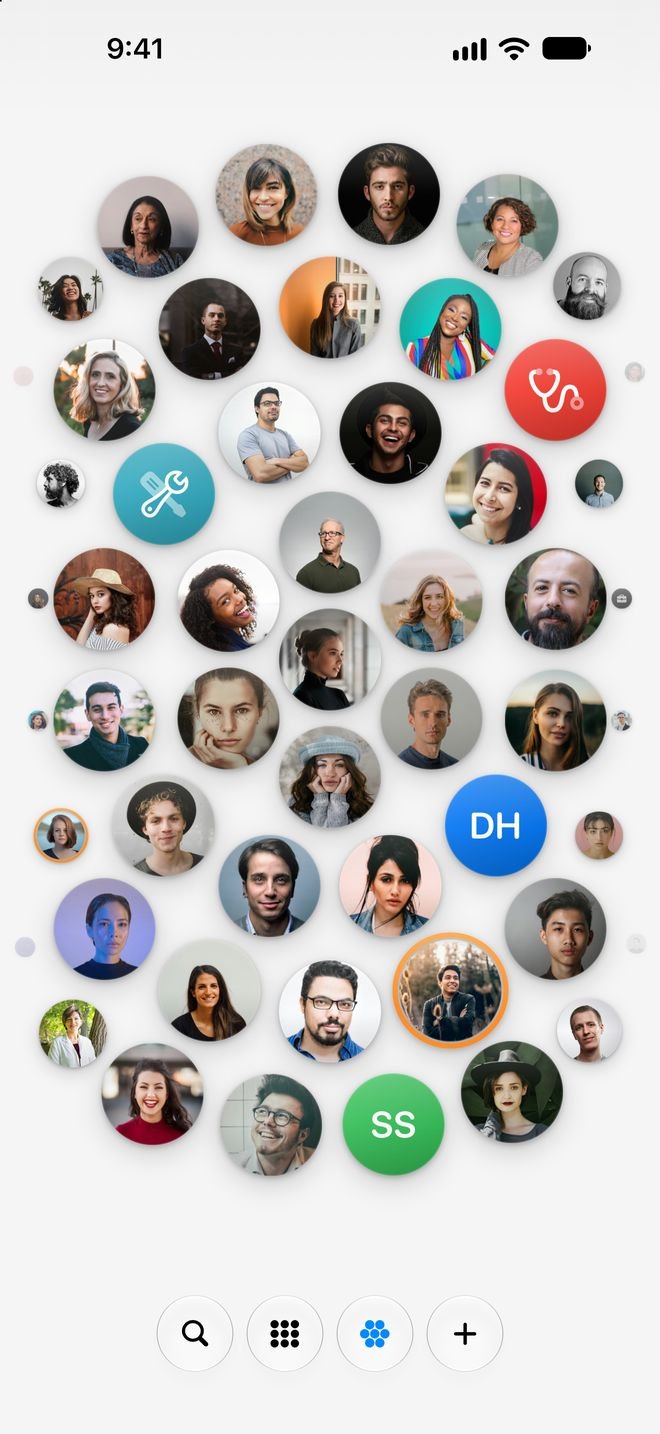
Your contacts as circles in a honeycomb. Tap one to call, message or open their social profiles; remember what you talked about and when it’s time to reach out again. Everything stays on your iPhone.
Free, with 7 days of Circlay Pro. Requires iOS 18.
4
ways to see your contacts
10
languages
0
data collected
1
one-time payment, no subscription
One tap
Tap a circle. You’re already talking.
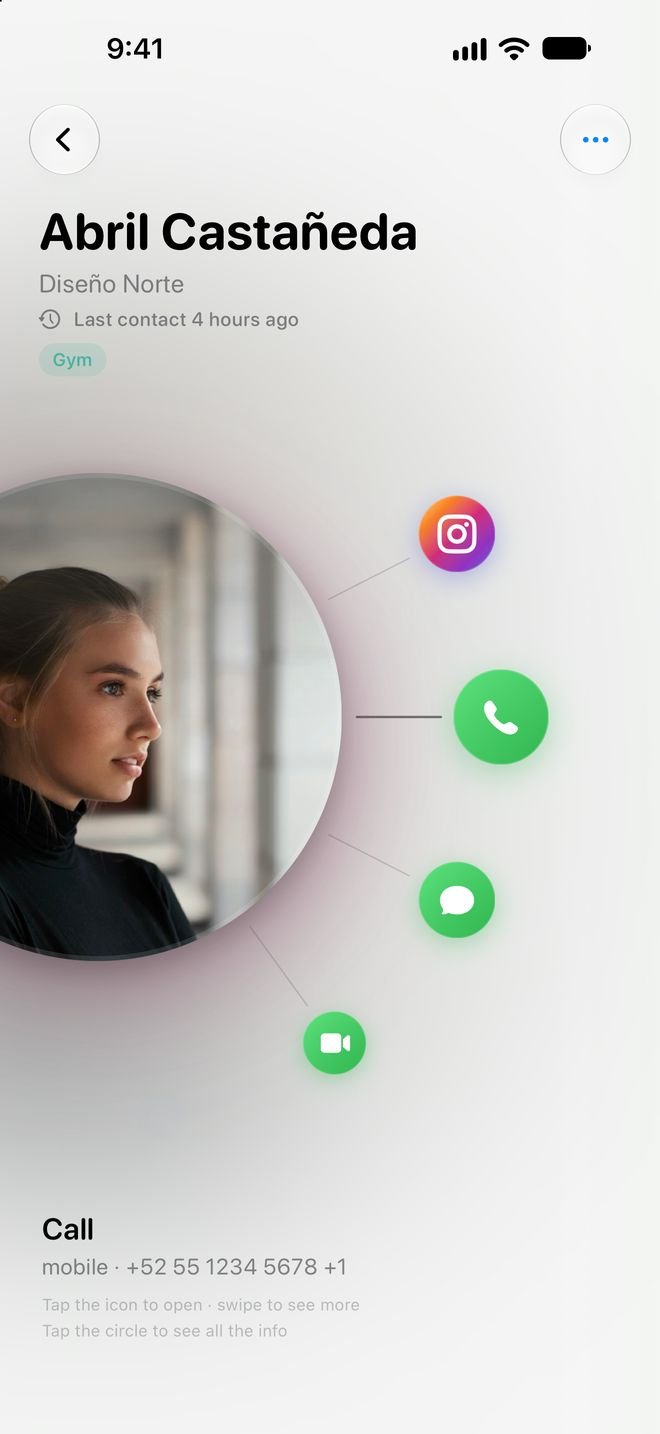
Every contact opens an arc with everything you can do: call, send a message, FaceTime, email, WhatsApp, Instagram and the rest of their social profiles. No more digging through five different apps.
- Honeycomb, groups, grid or list: you choose how to see them.
- Add their social profiles once and they’re always one tap away.
- Keypad, favorites and a search that reads your notes too.
Memory
Everything you know about someone, in one place.
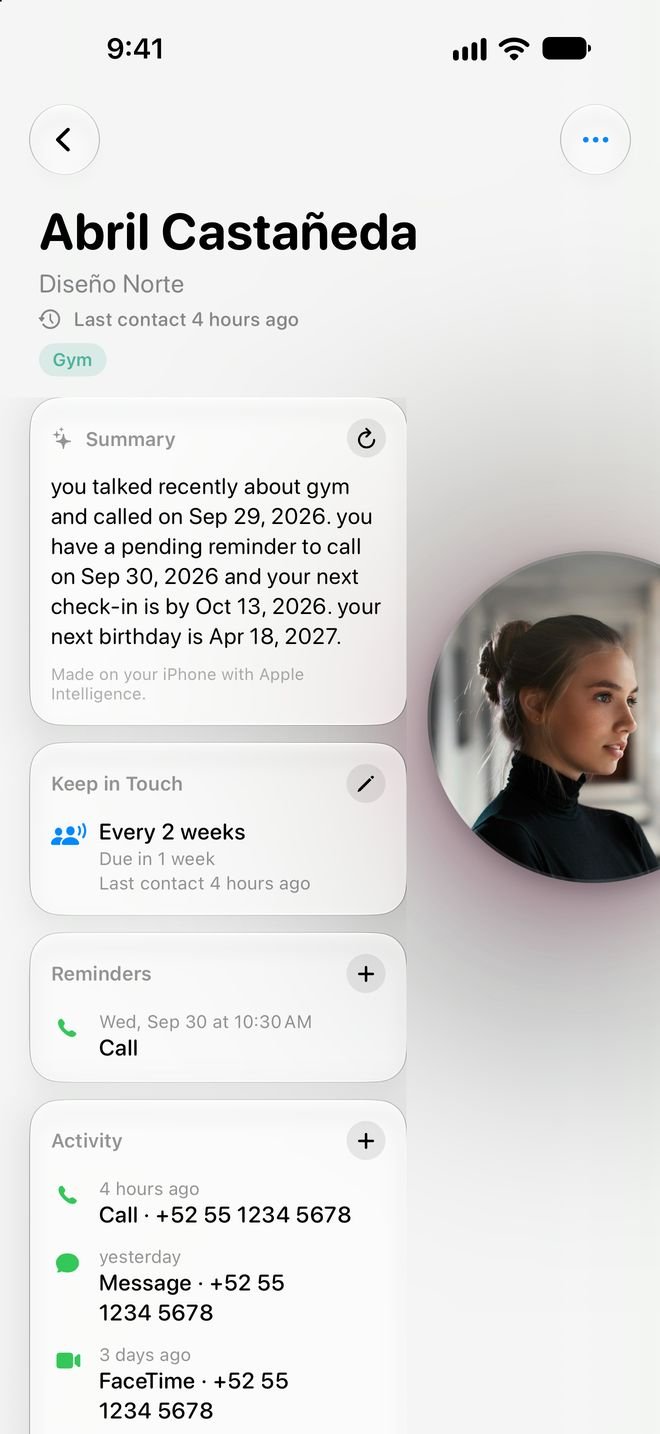
Where you met, who introduced you, what they’re into. Circlay keeps it right next to their phone number, along with a history of what you’ve talked about and voice notes that transcribe themselves.
- Smart summaries with Apple Intelligence, generated on your iPhone.
- A history of calls, messages and meetings with each person.
- Voice notes with searchable transcripts.
Groups
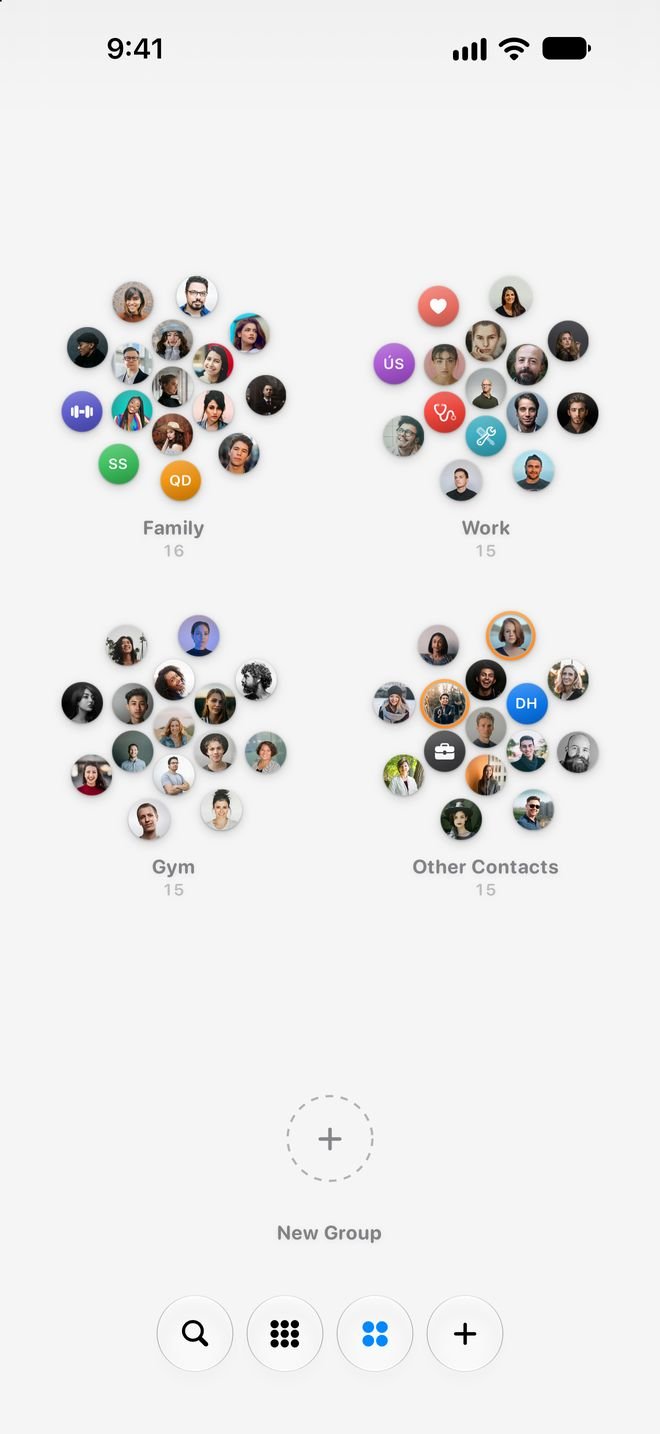
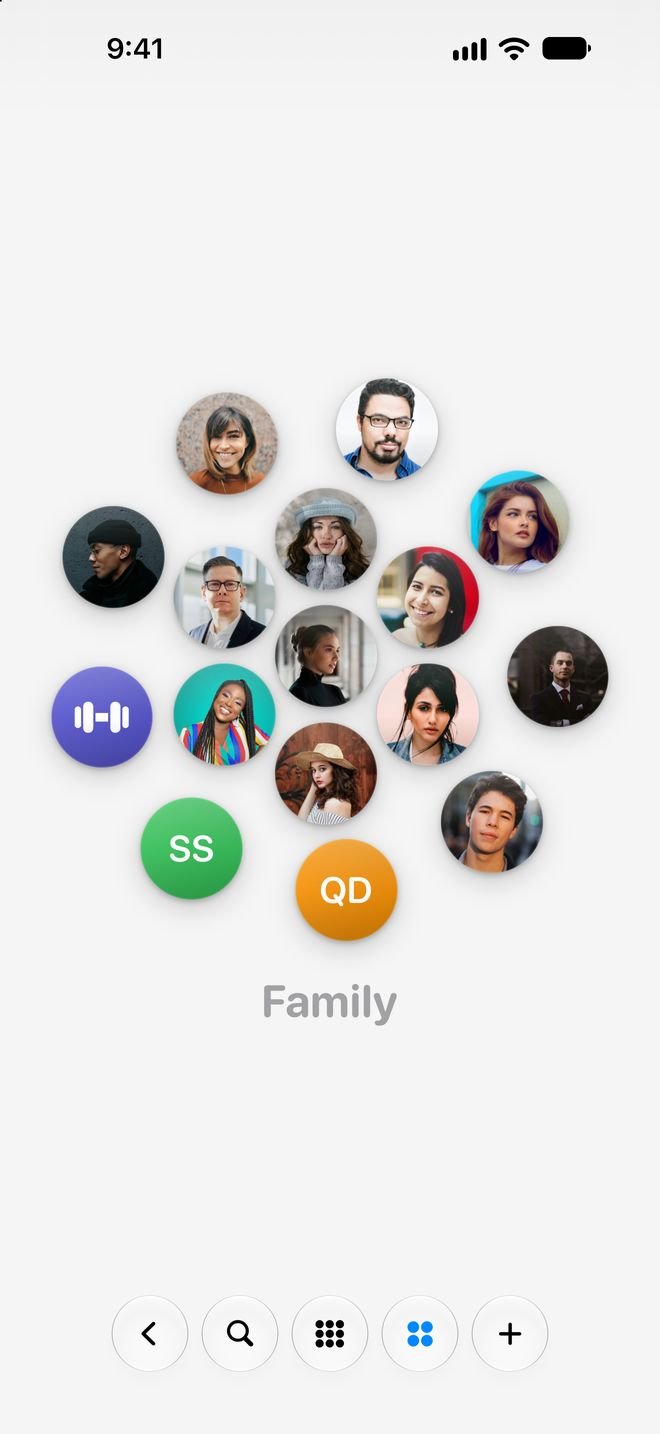
Family, work, the gym. Everyone in their own honeycomb.
Group your contacts and see them at a glance. Tap a group and the view zooms right into it; go back and everyone’s there again.
Keep in Touch
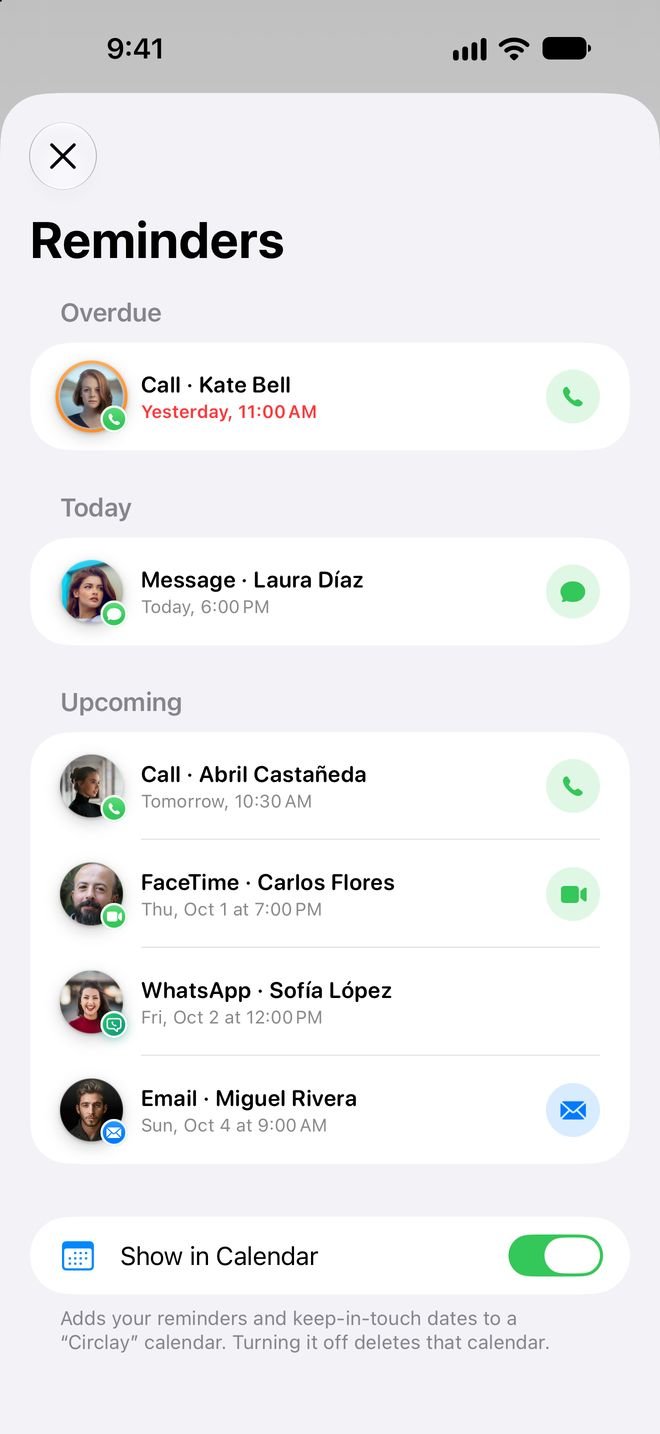
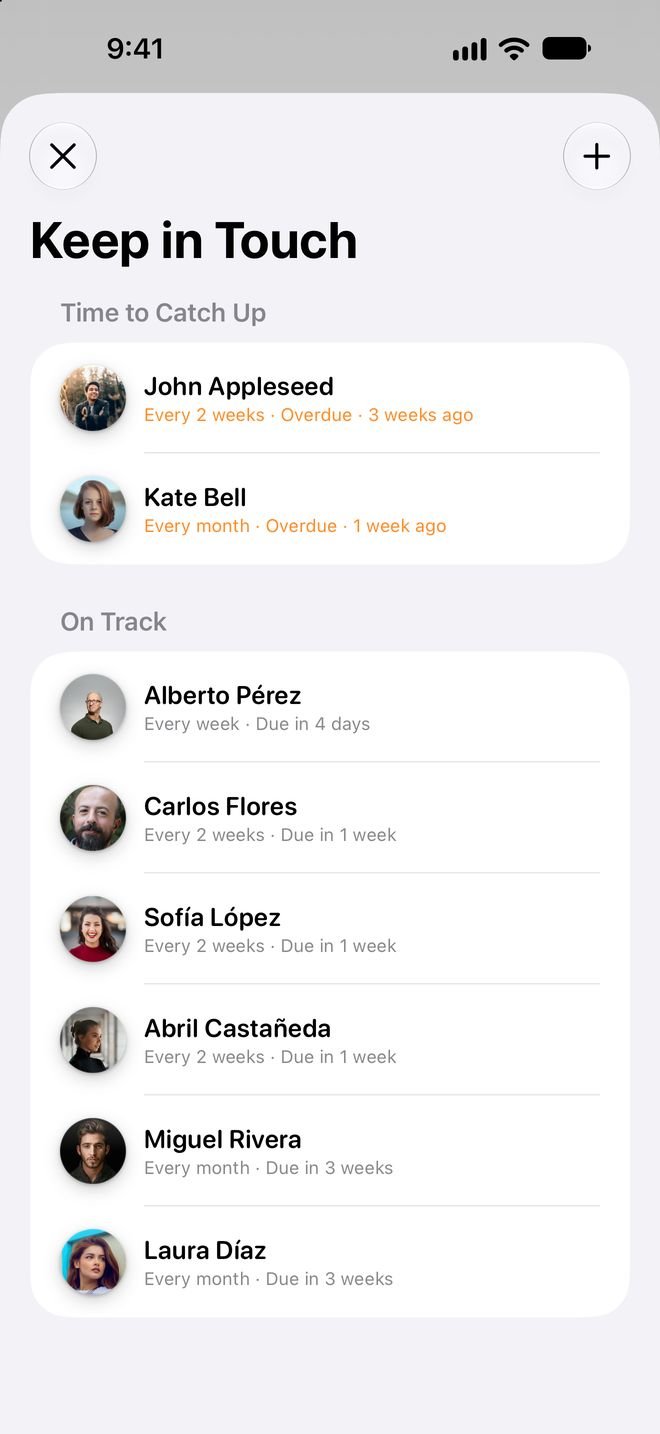
Goodbye to “It’s been ages!”
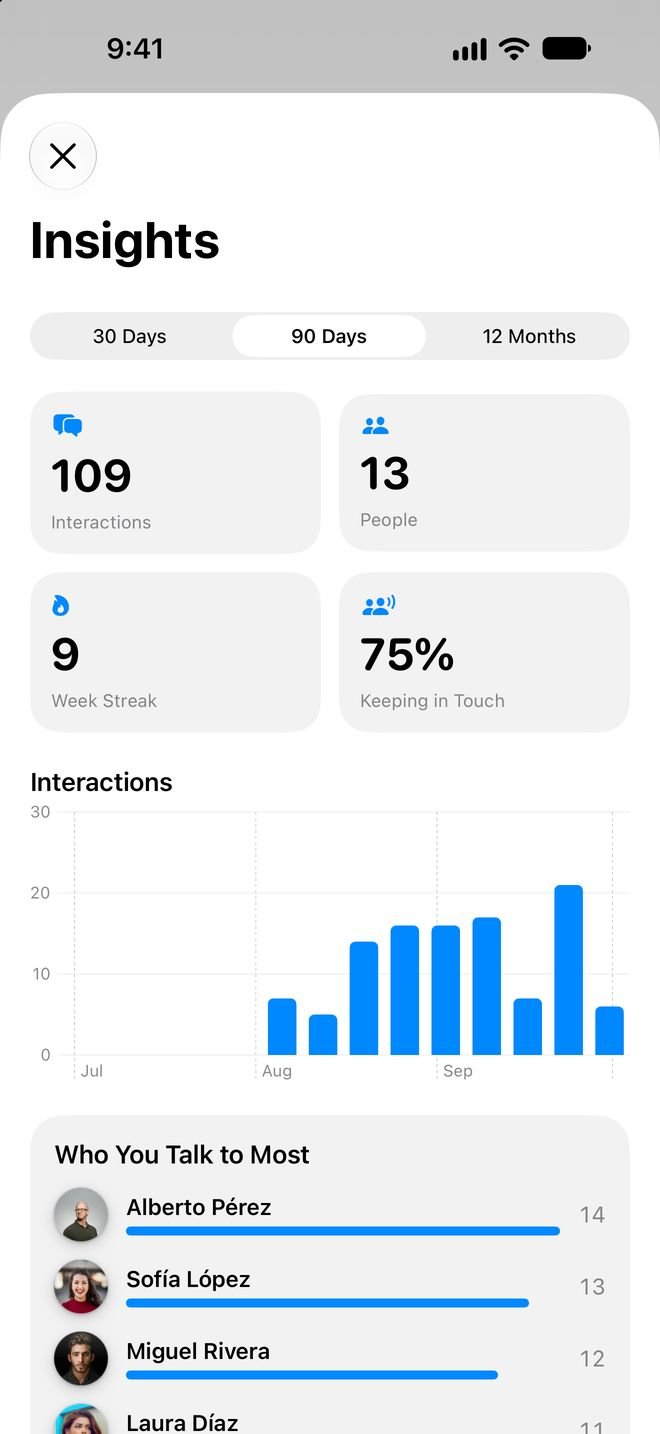
Decide how often you want to talk to someone and Circlay lets you know when it’s time. Reminders to call or text, birthday wishes ready to send, and insights into who you talk to most.
Map
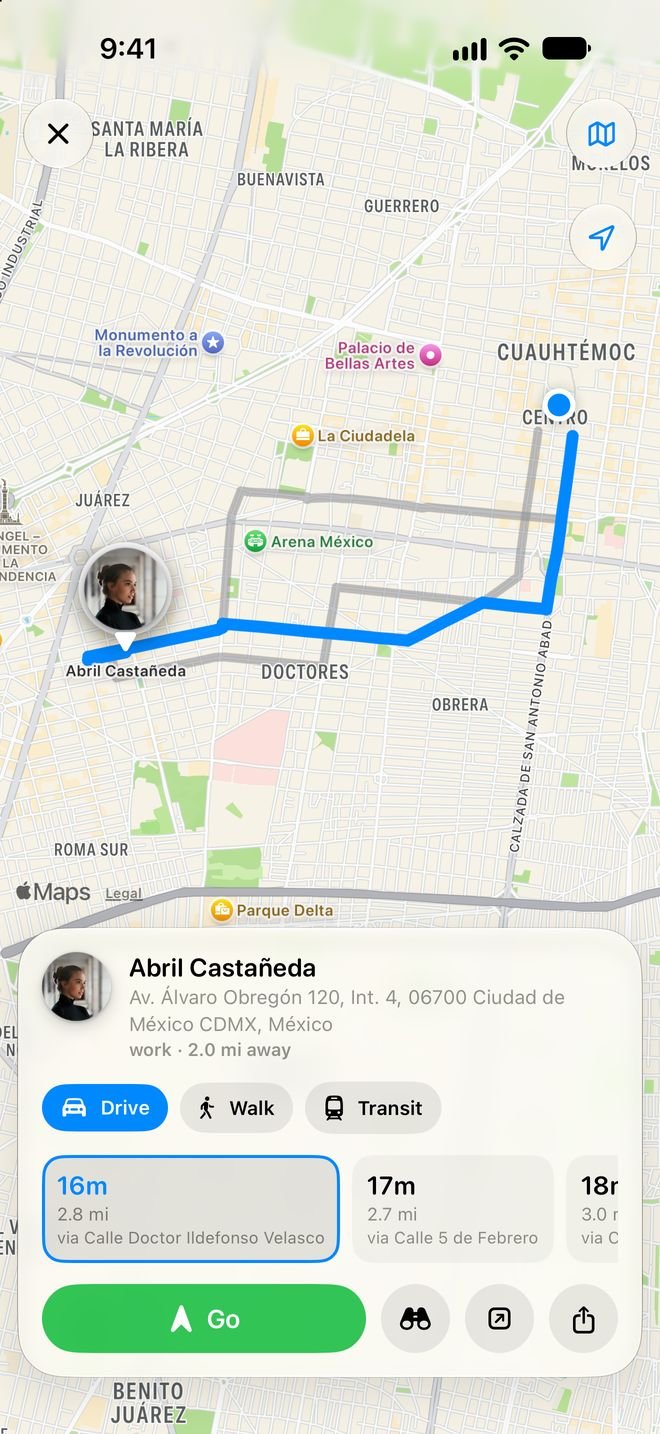
See who’s nearby. Get right to their door.
Your contacts appear on the map with their circle, sorted by distance. Get driving or walking directions and follow turn-by-turn voice guidance.
- Alternate routes with time and distance.
- Navigation with voice prompts and rerouting if you go off course.
- Or open it in Apple Maps, Google Maps or Waze if you prefer.
Share
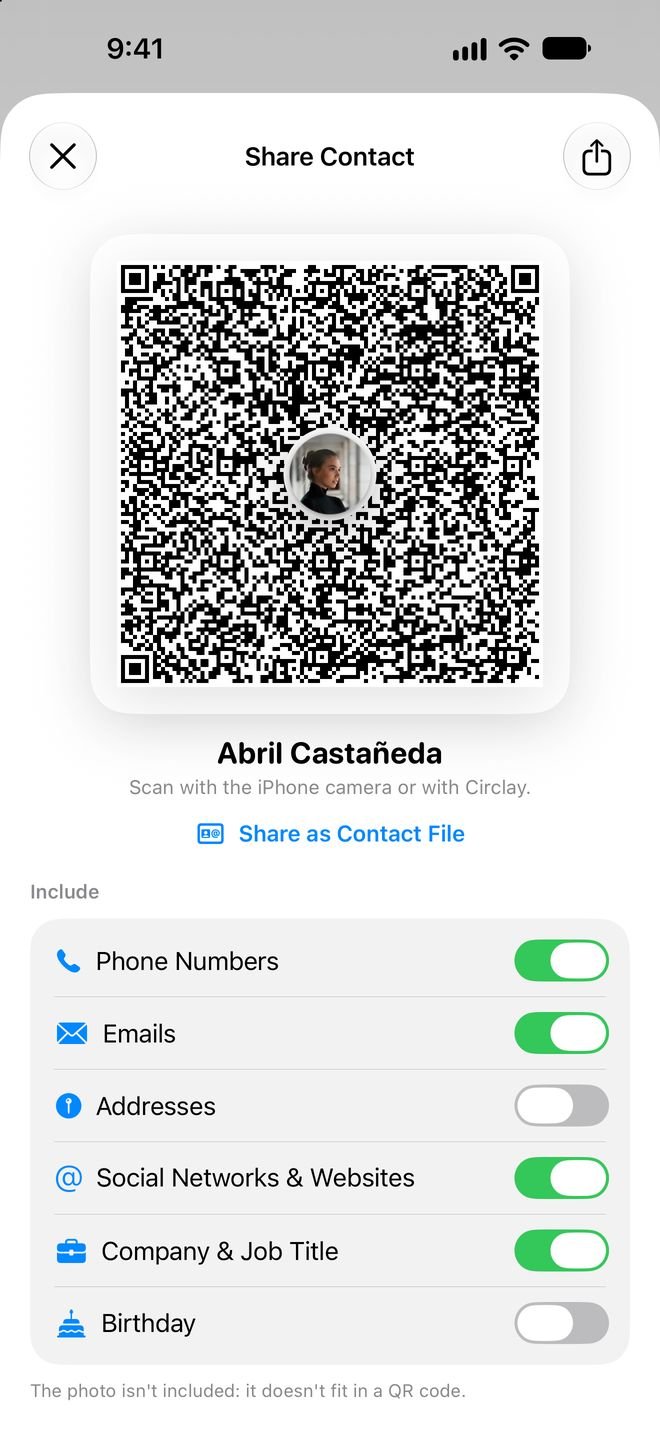
Share your contact with a QR code.
Choose what to include and show the code. Any iPhone camera can read it, even without Circlay; if they have it, they get your circle style too.
- You decide: phone numbers, emails, social profiles, company, birthday.
- Scan business cards and the contact fills itself in.
- Event mode: everyone you add at a party or conference gets tagged.
Customize
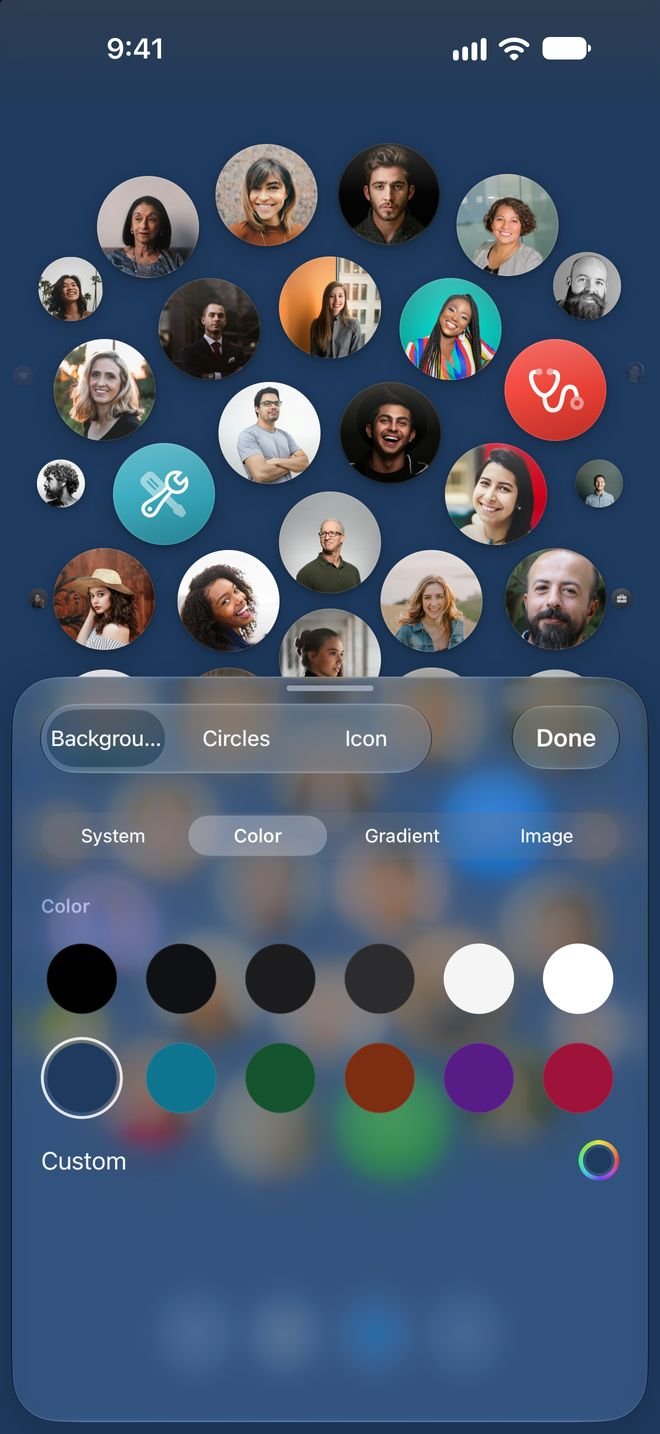
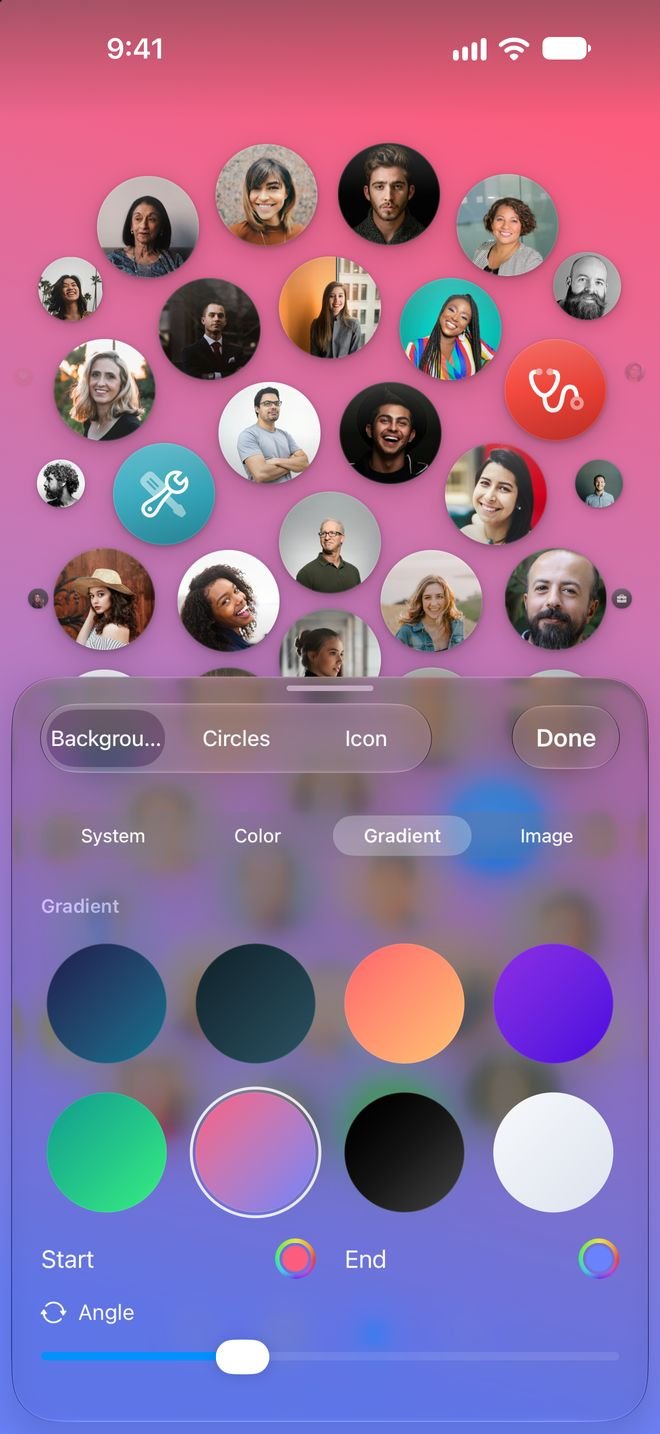
Your honeycomb, your way. Free, forever.
Solid colors, gradients or a photo with a depth effect. Arrange circles by hand, resize them and give every contact a photo, their initials or an icon.
And more
Everything your contacts app should have.
Privacy
Your contacts are yours. And they stay with you.
Circlay has no accounts, no ads, no analytics and no servers of its own. Your contacts, your notes and your history never reach us.
Notes, history and voice
Everything you save in Circlay lives in the app’s private space. AI summaries are generated on the iPhone itself.
A backup only you can see
The automatic backup goes to your iCloud Drive, tied to your Apple Account. The developer can’t see it or recover it.
“Data Not Collected”
That’s how it’s declared on the App Store. No IDFA, no third-party SDKs and no tracking permission prompt.
Pricing
Try everything for 7 days. Pay once, if you love it.
No subscription, no renewals and no recurring charges. Circlay Pro is a one-time purchase tied to your Apple Account. If you don’t buy it, everything you’ve set up stays just as it is.
Free
0
Forever, no account needed
- Honeycomb, groups, grid and list
- Backgrounds, free mode and custom circles
- Social profiles, notes and favorites
- Share by QR code and find duplicates
- Automatic iCloud backup
Circlay Pro
One-time purchase
7 days free. The App Store shows the price for your country
- History, voice notes and AI summaries
- Reminders, birthdays and Keep in Touch
- Maps, directions and navigation
- Call blocking and temporary contacts
- Messages, widgets, tags, insights and more
Support
Something not working? Write to us.
There’s a person behind Circlay, not an automated form.
If you prefer plain email: support@indielob.com